Buying K League Tickets Online: A Guide for Foreigners
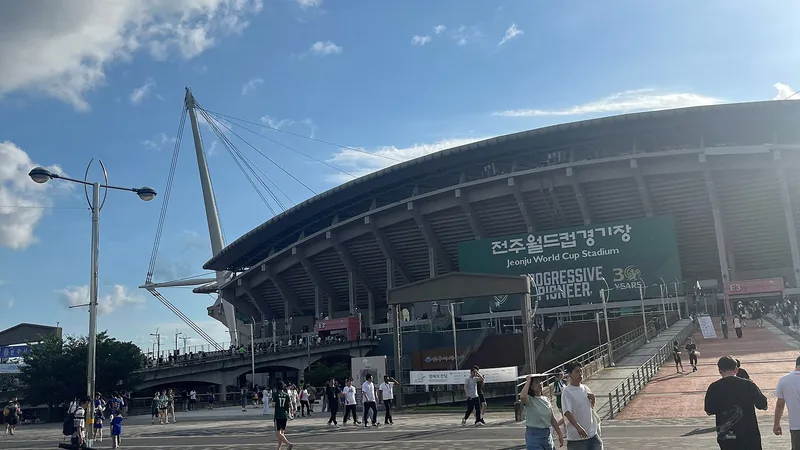
You can buy K League tickets online, on the website or app of the league and of each club.
Each club has its own page and its own on-sale time. Go to the club's page and click the booking button at the exact on-sale time. This article follows Ticketlink's general guide, which applies when a club sells tickets through Ticketlink.
Key points
- Find matches under "일정/결과/티켓" (in English: SCHEDULE/RESULT/TICKET) on the K League website. Matches on sale carry the label "예매가능" (in English: "Bookable").
- The seats you choose are held for only 8 minutes, so pay right away.
- Ticketlink uses a PAYCO account to log in.
- Cancellation deadlines differ by club, and you cannot change seats after booking.
- Buy tickets only through official channels. Transactions between individuals are not protected.
Preparing before the on-sale time
First, have an account ready. Ticketlink lets you use its service with a PAYCO account. The sign-up button is in the upper right corner of the screen.
The account guide page only describes signing up with PAYCO. This page has no separate section for foreigners. If you do not receive the verification text message or email, Ticketlink's guide page only points to PAYCO's help section.
If you are already a separate member of a club, check the membership information on that club's page.
Allow pop-ups in your browser. Otherwise, the booking window will not appear.
Finally, check the on-sale time on the club's page. At that exact time, refresh the page with the F5 key so that the "오픈예정" button changes to "예매하기".
Booking steps

The official guide divides sports ticket booking into five steps.
Step 1: choose the date and match. Click "예매하기" on the club's page at the on-sale time.
Step 2: choose the ticket class and seat. You can choose the zone first or the ticket class first. Then choose "automatic seat assignment" (자동배정) or "choose your own seat" (직접선택).
Step 3: choose the ticket type, discounts and quantity. The selected seats are held, and you must pay within 8 minutes.
Step 4: choose how to receive the ticket and agree to the terms. You must agree to the cancellation fee policy to complete the booking.
Step 5: choose a payment method and pay. When done, check your ticket under "예매확인" or in your account section.
Receiving tickets, cancellation and fees
There are three ways to receive tickets: home delivery, pickup at the stadium, and mobile e-tickets.
Home delivery takes up to 10 business days after booking is completed. Some clubs restrict this option for certain matches.
Pickup at the stadium: on match day, show the confirmation message or booking number at the counter reserved for ticket holders. The automatic ticket-printing machine requires the booking number and your date of birth as registered in your residence registration. The guide does not say clearly how this works for foreigners, so ask the ticket counter staff.
There are two kinds of e-tickets: 홈티켓 (a barcode in the app) and 스마트티켓 (printed yourself on your phone). For sports, a 스마트티켓 can be printed from 2 to 3 hours before the match, and cannot be canceled once printed. Tickets that require proof documents have no electronic barcode and must be printed at a staffed counter.
On cancellation, the cancellation deadline for sports differs by club. You can see the deadline when you book and on the booking details page.
The booking fee is refunded only if you cancel before midnight (24:00) on the day of booking. Cancellation fees vary depending on timing, and Ticketlink has a separate fee guide section.
After booking, you cannot change the date, time or seat. You must cancel and book again, and the old seat may no longer be available. If a match is canceled because of rain, some tickets are canceled in bulk without a cancellation fee.
Common mistakes
- Buying from a reseller. Ticketlink treats ticket trading between individuals as fraud ("암표") and states clearly that buyers are not protected. For a first violation, the transaction is canceled and the account is suspended for 30 days.
- Not allowing pop-ups, so the booking window does not appear.
- Paying too slowly, because seats are held for only 8 minutes.
- Canceling late, because deadlines differ by club.
- Canceling on your own before the bulk cancellation notice for rain. In that case the cancellation fee is not refunded.
- Using outdated information. From 2027, some clubs will gradually adopt FEVER's ticketing solution. Clubs will continue to sell tickets through the websites and apps of K League and the clubs. Always start from the page of the specific club.
Next steps
- Open the K League match schedule and find the match you want to see: https://www.kleague.com/schedule.do
- Read Ticketlink's sports ticket booking guide: https://www.ticketlink.co.kr/help/guide/reservation/baseball
- Read the ticket collection guide: https://www.ticketlink.co.kr/help/guide/ticket
- Read the cancellation and refund guide: https://www.ticketlink.co.kr/help/guide/cancel
Sources
- Ticketlink — 스포츠 티켓 예매안내 (no date given): https://www.ticketlink.co.kr/help/guide/reservation/baseball
- Ticketlink — 티켓 수령 안내 (no date given): https://www.ticketlink.co.kr/help/guide/ticket
- Ticketlink — 취소/환불 안내 (no date given): https://www.ticketlink.co.kr/help/guide/cancel
- Ticketlink — 회원 정보 안내 (no date given): https://www.ticketlink.co.kr/help/guide/memberInfo
- Ticketlink — 부정이용 규제안내 (no date given): https://www.ticketlink.co.kr/help/guide/legalGuide
- K League (한국프로축구연맹) — K리그, 글로벌 티켓 플랫폼 FEVER와 계약 (September 2, 2026): https://www.kleague.com/news_view.do?seq=96193&category=notice&orderBy=seq&viewOption=album&page=1
- K League — 일정/결과/티켓 (no date given): https://www.kleague.com/schedule.do
Updated: November 20, 2026 · Sources checked: November 20, 2026
General information, not legal advice; rules and prices may change, so check again with the official provider before acting. · Report an error